
Digital Mobile Radio (DMR) Communication
A Technical Seminar for Radio Communication Professionals

Saumik Ghosh
VU3IAZ
Amateur Radio Operator with expertise in Digital Technologies, VHF/UHF Operation.

Jaiyanta Baidya
VU2TFR
Amateur Radio Operator, RF Enthusiast specializing in Radio hardware including MMDVM systems and hotspot configurations.

Soumya Chakrabarti
VU3FWK
Amateur Radio Operator with expertise in Radio programming and Brandmeister integration,VHF/UHF/HF/FT8 Operation.

Arnab Roy Chaudhury
VU2TFQ
Amateur Radio Operator, Electronics Enthusiast with specilization in Emergency communications systems.
Digital vs Analog Paradigm Shift
Digital communication converts voice and data into discrete binary signals (1s and 0s) rather than continuous waveforms.
Key Technical Advantages
- Superior Audio Quality: Digital encoding with FEC eliminates static and interference
- Enhanced Spectrum Efficiency: TDMA enables multiple conversations per channel
- Network Integration: IP connectivity and internet protocol support
- Advanced Features: Text messaging, GPS, caller ID, encryption
Digital vs Analog Comparison
- 📊 Spectrum Efficiency: 2:1 with TDMA
- 🔊 Audio: Consistent vs variable quality
- 📡 Coverage: Cliff effect vs gradual
- 🔋 Battery: Longer operational time
- ⚡ Features: Voice + data capabilities
What is DMR?
Digital Mobile Radio (DMR) is an open digital radio standard developed by the European Telecommunications Standards Institute (ETSI), ratified as ETSI TS 102 361. Operates within 12.5 kHz channel spacing.
DMR Tier Architecture
Tier I - License-Free DMR
- Power output: ≤0.5W
- Direct mode (radio-to-radio)
- Specific frequency bands
- Consumer applications
Tier II - Conventional DMR
- Licensed operation
- Repeater-based systems
- Amateur radio standard
- Power up to regulatory limits
Tier III - Trunked DMR
- Advanced trunked systems with automatic channel assignment
- Professional and commercial applications
- Network-controlled operations
TDMA (Time Division Multiple Access)
DMR uses TDMA to enable two simultaneous conversations on a single 12.5 kHz channel.
Frame Structure: 30ms frames divided into two 15ms time slots
Time Slot Architecture
- Slot 1: First conversation channel (30ms duration)
- Slot 2: Second conversation channel (30ms duration)
- Guard Time: Synchronization pause between slots
- Total Frame: 60ms structure (effectively doubles capacity)
4FSK Modulation & AMBE+2™ Vocoder
Modulation Parameters
- 4-level Frequency Shift Keying
- Symbol rate: 4,800 symbols/sec
- Data rate: 9,600 bits/sec
- Deviation: ±648 Hz
AMBE+2™ Vocoder
- Advanced Multi-Band Excitation codec
- 3,600 bits/sec digital stream
- Optimized for low bit rate
- Proprietary licensed implementation
Based on ISO OSI model, defined by ETSI TS 102 361 standards
Physical Layer
- Modulation: 4FSK at 4,800 symbols/second
- Transmission Control: TX/RX mode switching
- TDMA: Two-slot operation in 12.5 kHz channel
- Synchronization: Frequency, symbol, and burst sync
Data Link Layer
- Channel Coding: FEC and CRC implementation
- MAC: TDMA time slot management
- Interleaving: Protection against burst errors
Call Control Layer (CCL)
- Call Control: Group, private, emergency calls
- Supplementary Services: Text messaging, radio check
DMR Repeater System
Core Repeater Functions
- Receives and retransmits with higher power
- TDMA time slot coordination
- Network gateway operations
- User authentication and emergency handling
DMR Network Infrastructure
Master Server
- Central coordination point
- User registration management
- Call routing between talk groups
Bridge Systems
- Connect different DMR networks
- Protocol translation
- Network redundancy
DMR Radio Equipment
- Handheld (HT): Portable, battery powered
- Mobile: Vehicle installation, higher power
- Base Station: Fixed location, AC power
- Hotspot Devices: Low-power personal repeaters
What is a RadioID?
A unique seven-digit numerical identifier assigned to each DMR user worldwide, serving as your digital "call sign" for network routing.
RadioID Structure
Format: X-XXX-XXX (seven digits)
- First digit: Country/region identifier
- Remaining digits: Unique user identifier
Examples:
- 3123456 - North American region
- 2621234 - European region
- 4401234 - Asia-Pacific region
- 404xxxx - India (VU operators)
RadioID Functions
- Network Authentication: Validates user access
- Call Routing: Directs private calls to specific users
- System Integration: Links call sign with digital ID
1Obtain Official License
Get your official amateur radio license in PDF format from licensing authority
2Register on RadioID.net
- Visit https://radioid.net/
- Click "Log In/Sign Up" → "USER REGISTRATION"
- Fill registration form (callsign, email, personal info)
- Upload official license document (PDF)
- Submit registration
3Wait for Verification
- Processing time: 1-3 days
- Email notification with your DMR ID
- SAVE THIS EMAIL - contains your unique 7-digit DMR ID
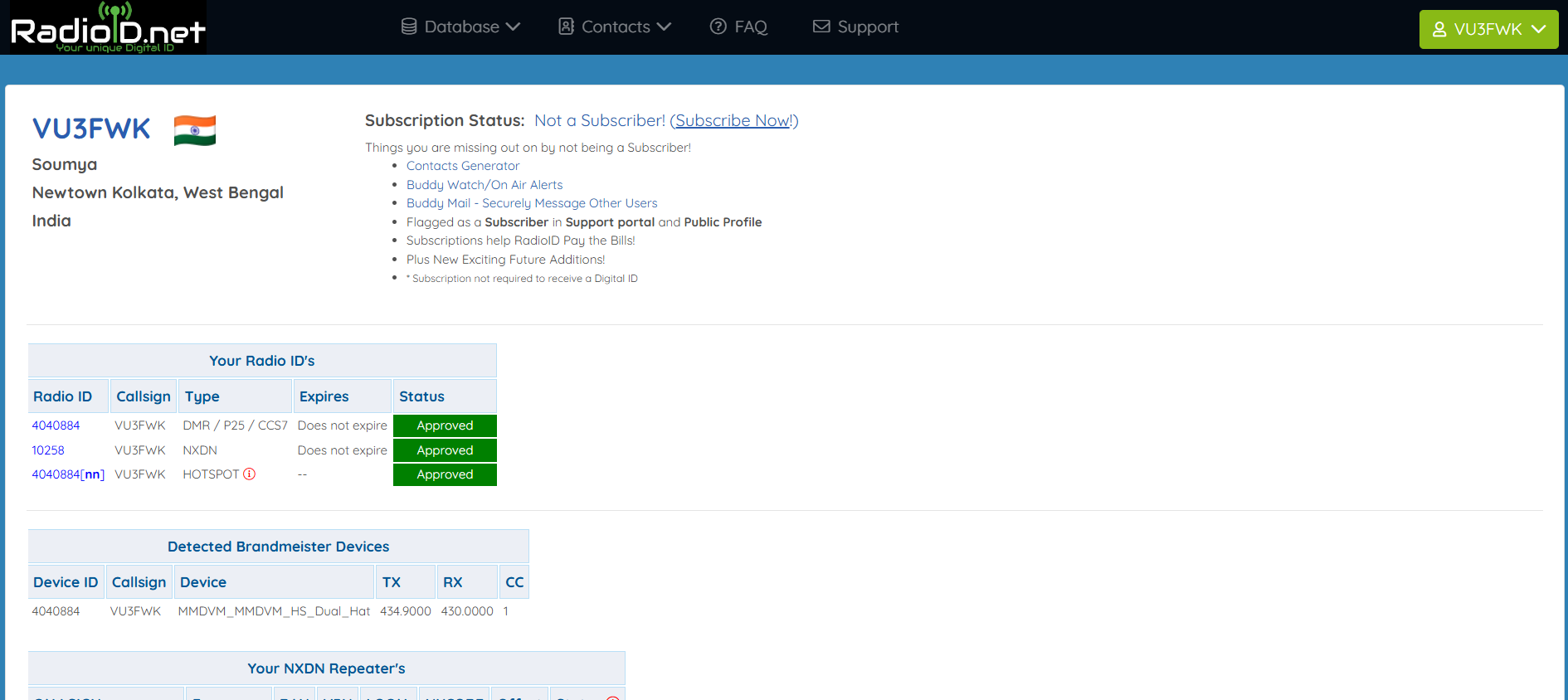
Registration Form: RadioID.net user registration page showing callsign input, personal details, and license upload section
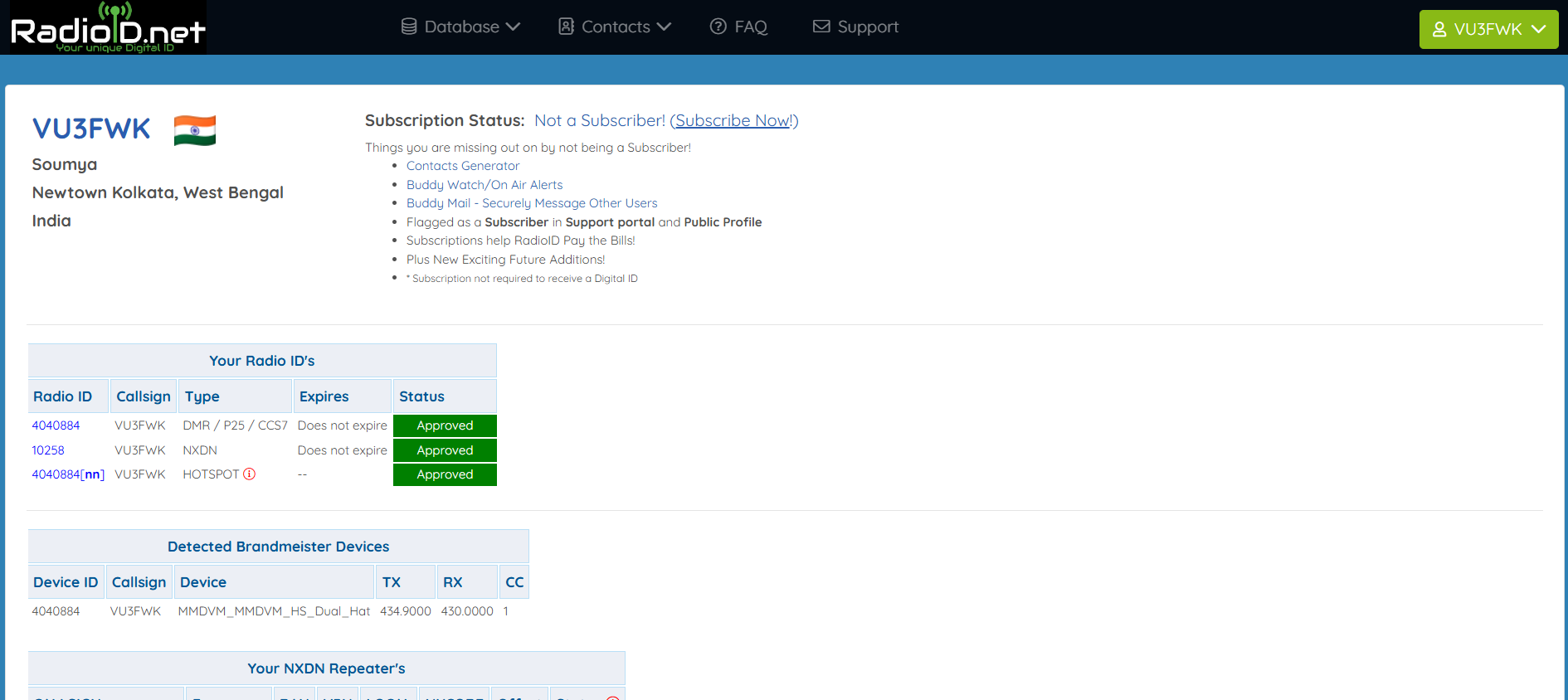
Approval Email: Confirmation email with assigned DMR ID number and account activation details
What is Brandmeister?
World's largest DMR network providing internet-based connectivity between DMR repeaters and hotspots globally.
Key Features
- Global Coverage: 2,000+ connected repeaters worldwide
- Talk Group Management: Dynamic assignment and scheduling
- Self-Care Portal: User account and configuration management
- Advanced Services: Parrot echo test, network monitoring, API access
Regional Master Structure
| Master ID | Region | Coverage |
|---|---|---|
| BM 3101 | North America | USA, Canada, Mexico |
| BM 2621 | Central Europe | Western Europe |
| BM 4401 | Asia-Pacific | Asia, India, Pacific |
| BM 5051 | Africa | African continent |
Registration Process
Website: https://brandmeister.network/
- Click "Register"
- Enter call sign and email
- Enter your DMR ID (RadioID)
- Create password
- Answer: "What is the wavelength of UHF in cm?" = 70
- Click "Register"
- Verify email and login
API Key Management
Location: Profile Settings → API Keys
To Create API Key:
- Navigate to Profile Settings → API Keys
- Click "Generate New Key"
- Name your key (e.g., "Pi-Star Dashboard")
- Copy key immediately (shown only once)
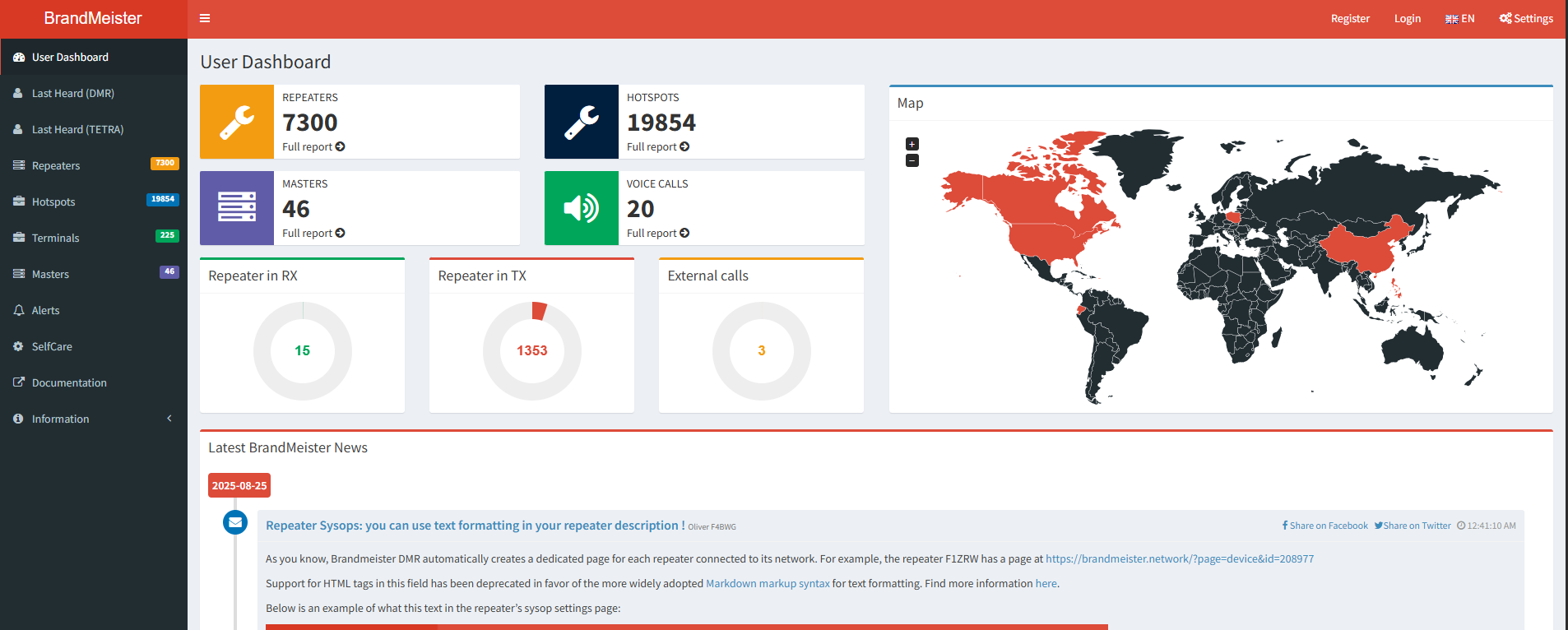
Self-Care Portal: Main dashboard showing user profile, connected hotspots, active talk groups, and real-time network status
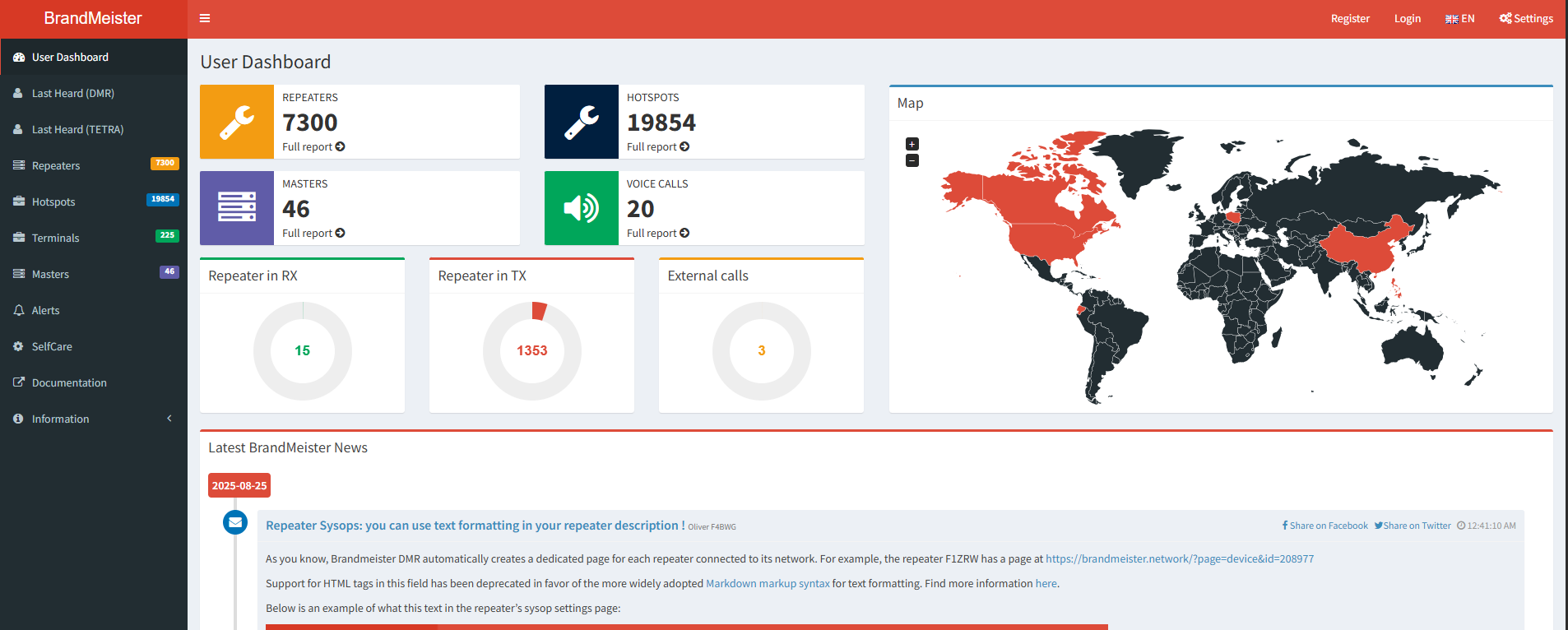
API Keys Page: Profile settings displaying API key management interface with QR codes for third-party integration
Talk Group Numbering System
Regional (TG 1-999)
- Country and regional groups
- Example: TG 404 - India
- Example: TG 40433 - DMR Kolkata
Worldwide (TG 1000-9999)
- TG 91: Worldwide English
- TG 92: Worldwide German
- TG 93: North America
Special Purpose (TG 90000+)
- TG 9990: Parrot (Echo Test)
- TG 91011: Tech Talk
Operation Modes
Static Subscriptions
Always connected, automatic routing
Dynamic Connections
On-demand activation
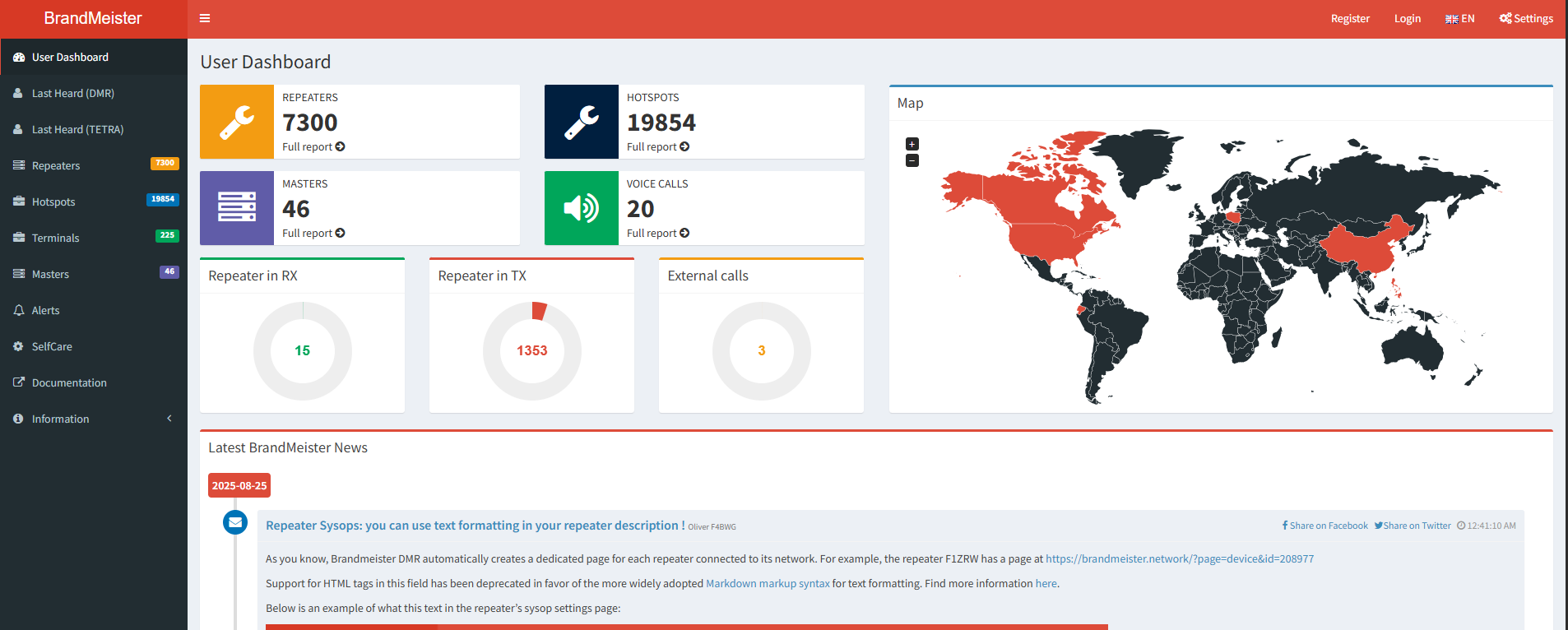
TG Browser: Brandmeister talk group directory showing worldwide, regional, and local groups with subscriber counts
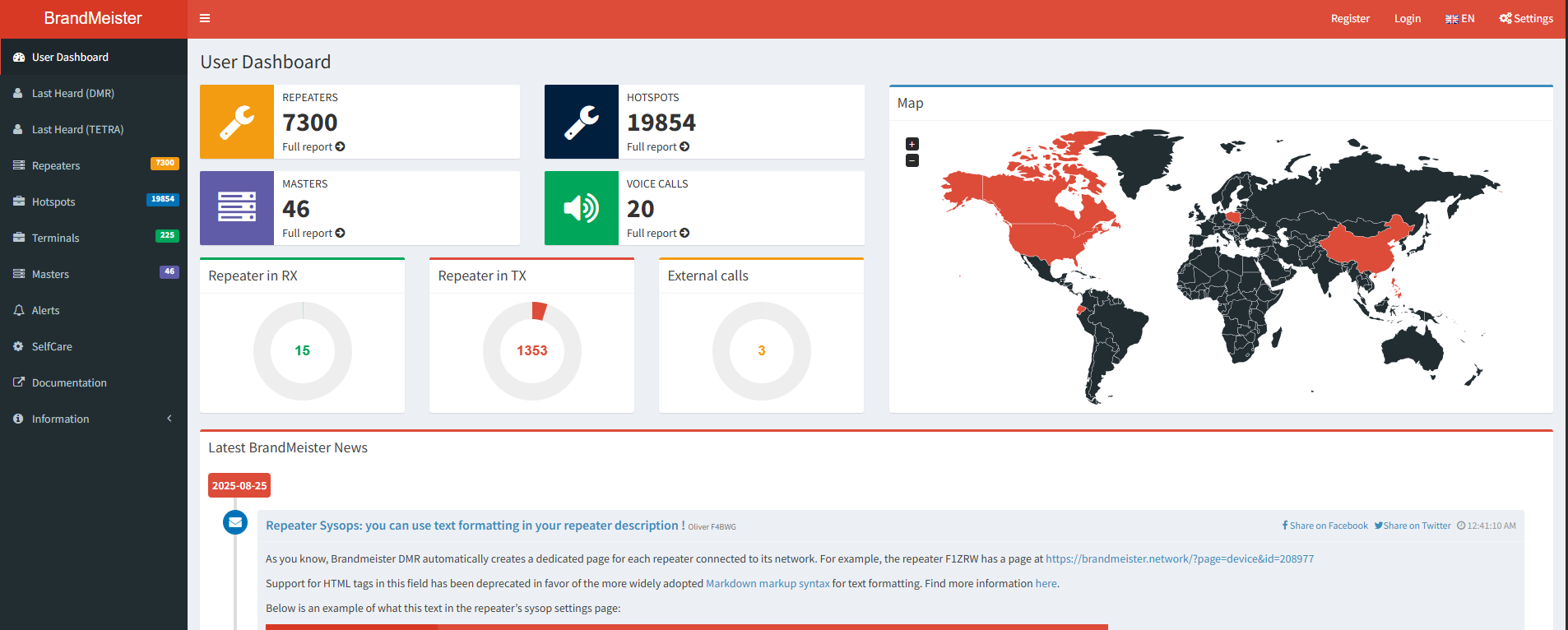
My Talk Groups: Personal subscription manager showing active and available talk groups for your hotspot
Multi-Mode Digital Voice Modem
Open-source platform for building digital voice repeaters and hotspots. Developed by Jonathan Naylor (G4KLX).
Supported Digital Modes
- DMR: ETSI Tier II, TDMA, Brandmeister compatible
- D-Star: JARL/ICOM standard, AMBE vocoder
- System Fusion (YSF): Yaesu standard, C4FM
- P25: APCO Project 25, public safety
- Cross-mode: YSF2DMR, DMR2YSF, NXDN
Applications
Personal Hotspots
Low-power, single-user, home/office coverage
Community Repeaters
Multi-user, local area coverage
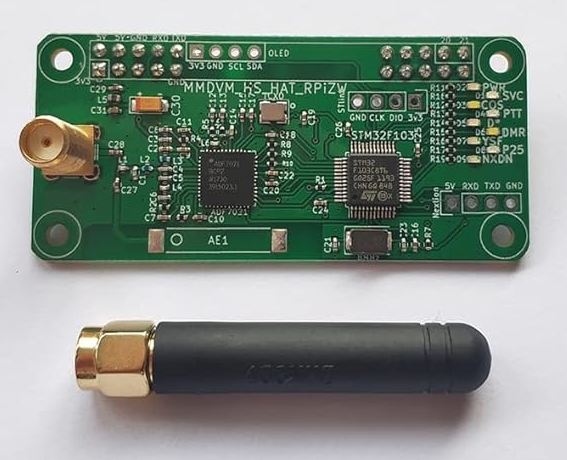
MMDVM HAT: Raspberry Pi HAT board with RF module, STM32 microcontroller, and antenna connector
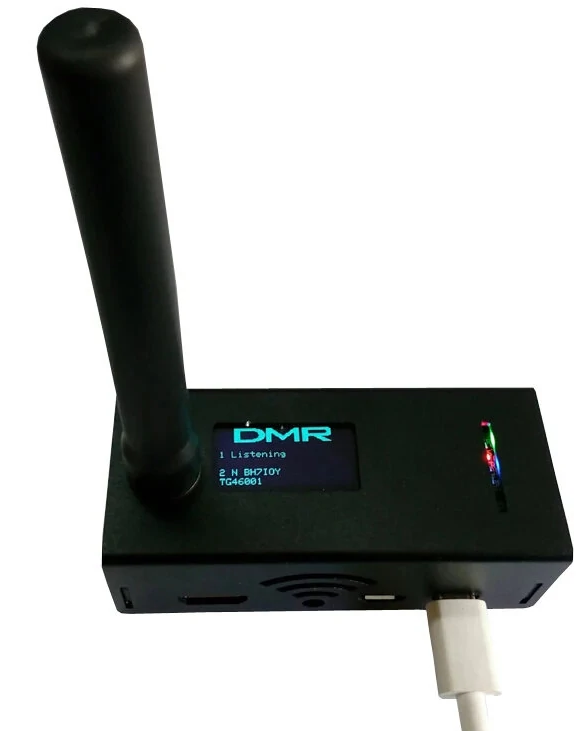
Assembled System: Raspberry Pi with MMDVM HAT, OLED display, case, and antenna in operational configuration
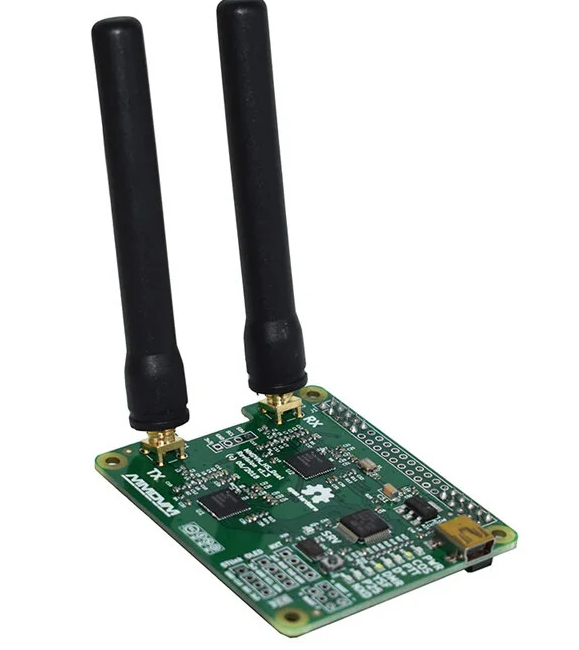
MMDVM Dual HAT: Advanced dual-band HAT supporting simultaneous VHF/UHF operations with enhanced RF capabilities
Pi-Star: Pre-configured software for Raspberry Pi. Developed by Andy Taylor (MW0MWZ).
Website: https://www.pistar.uk/
Installation Steps
1Download and Image
Download Pi-Star image, use Raspberry Pi Imager, write to SD card
2Initial Boot
Access via http://pi-star.local/ → Admin → Expert
Configuration
General
- Call Sign
- DMR ID
- Frequency
DMR Settings
- Master: BrandMeister
- Server: Regional
- Color Code: 1
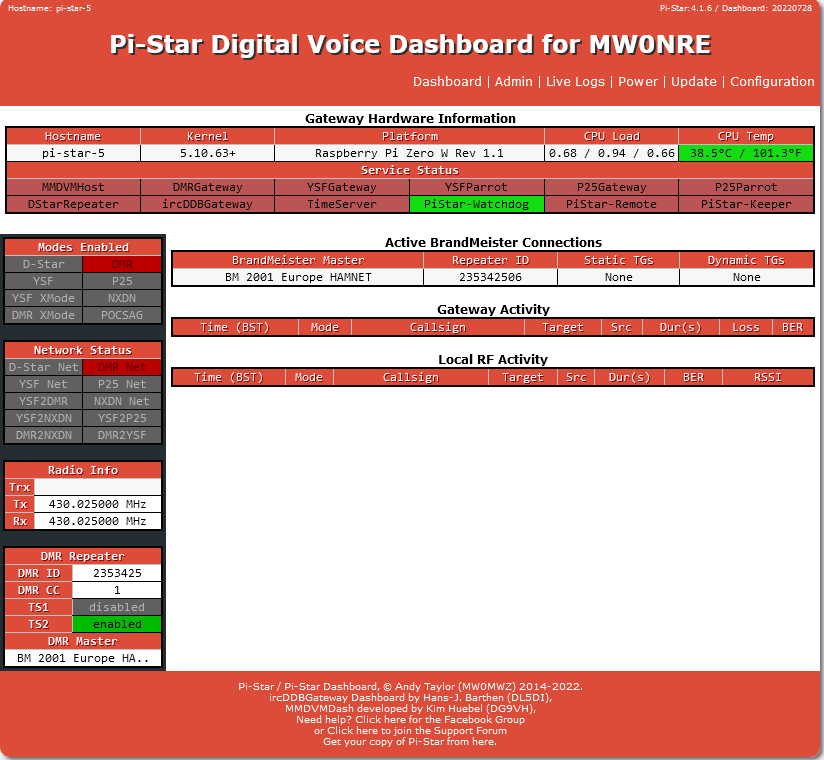
Main Dashboard: Real-time status with last heard stations
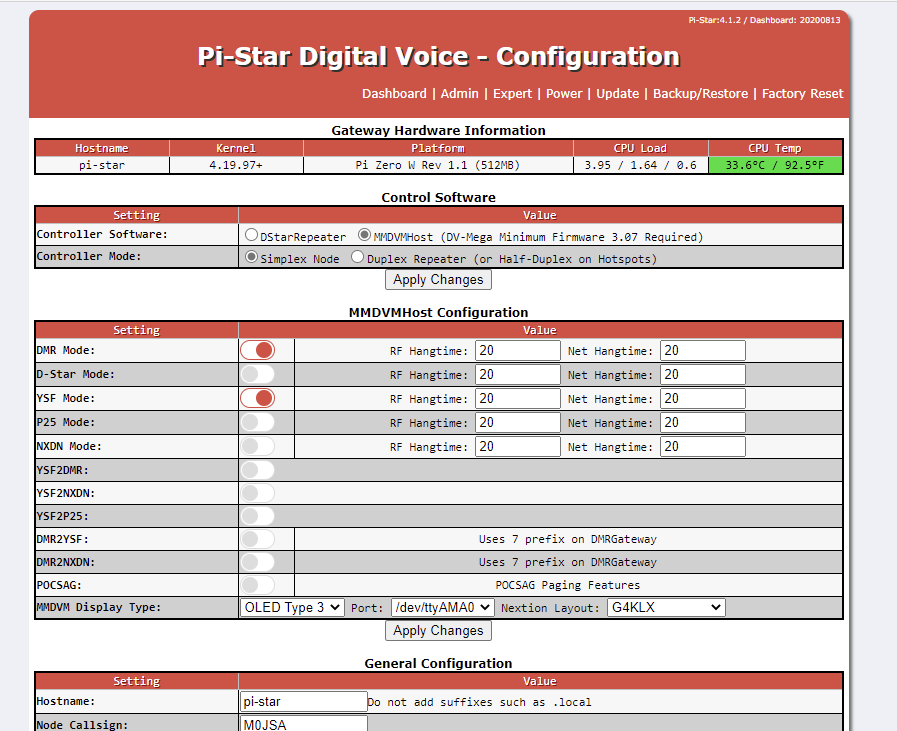
Config Page: General settings and DMR ID entry
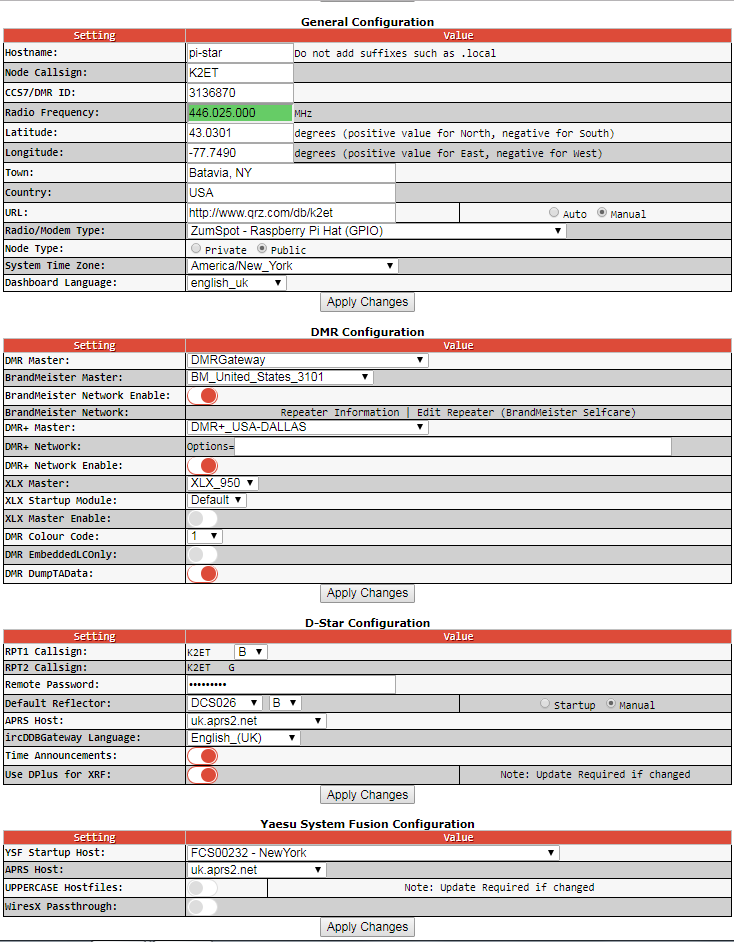
DMR Config: Master server and color code settings
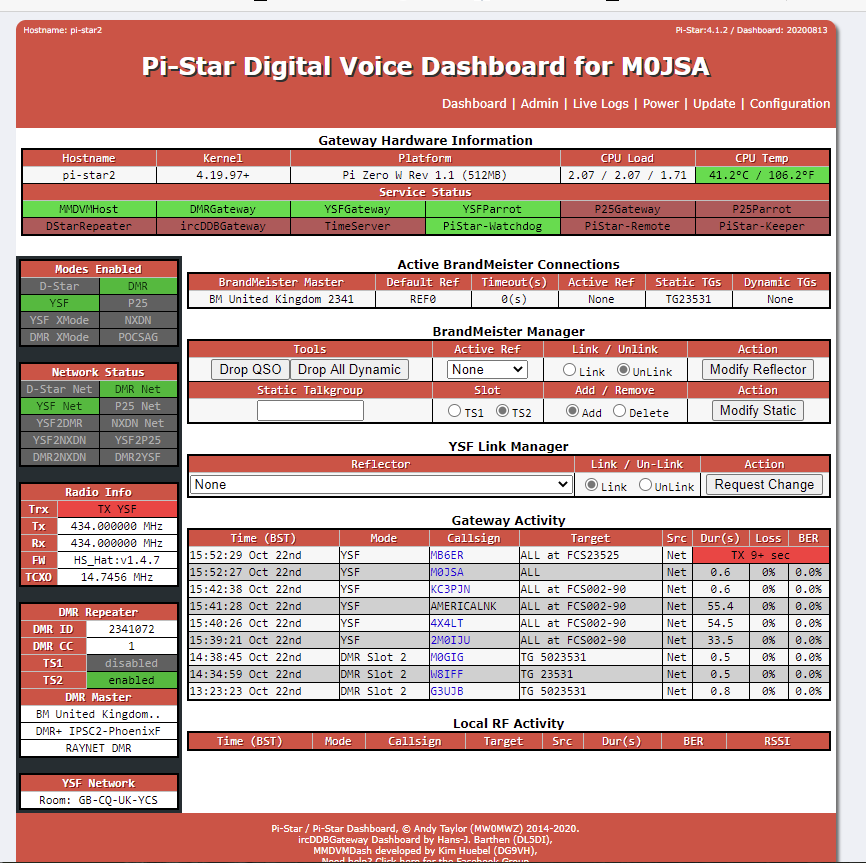
Log Viewer: Real-time system and network logs
W0CHP-PiStar-Dash (WPSD)
Enhanced dashboard based on Pi-Star with additional features and improved performance.
Website: https://w0chp.radio/wpsd/
Enhanced Features
Dashboard Improvements
- Real-time spectrum display
- Advanced diagnostics
- Enhanced mobile interface
Additional Services
- NextionDriver support
- Improved YSF/P25 gateways
- Performance monitoring
Configuration Backup
Admin → Backup/Restore → Create backup → Download file
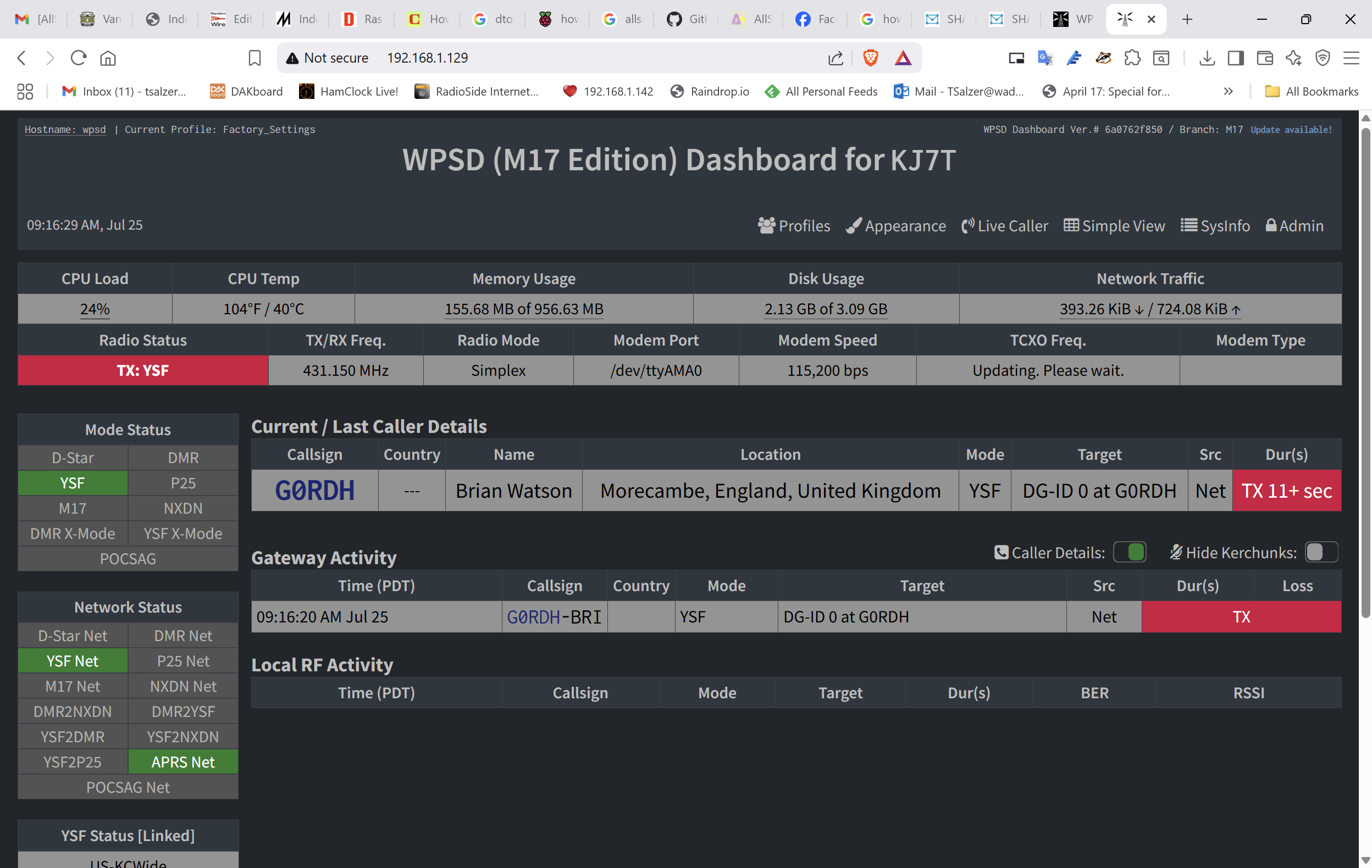
Enhanced Dashboard: WPSD interface with real-time frequency spectrum analyzer and improved status displays
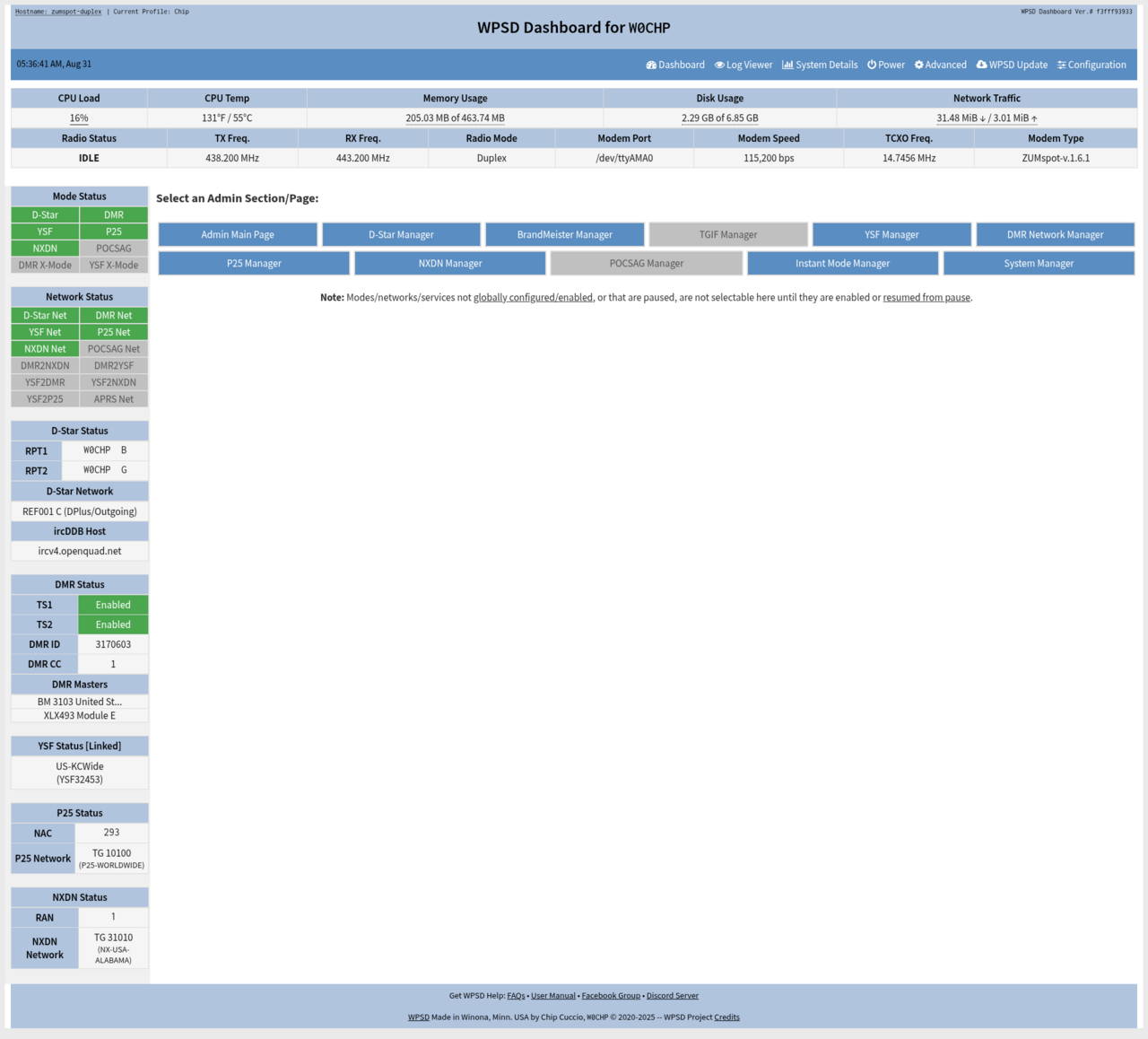
Performance Monitor: CPU, memory, temperature monitoring with detailed network statistics
Popular Options
Pi-Star Hotspot
- Raspberry Pi with MMDVM HAT
- Multi-mode capability
- Web configuration
- Most flexible option
Jumbo SPOT
- Ready-to-use solution
- Dual mode operation
- USB powered
- Compact portable design
OpenSpot
- Simple configuration
- WiFi/Ethernet capable
- Affordable entry-level
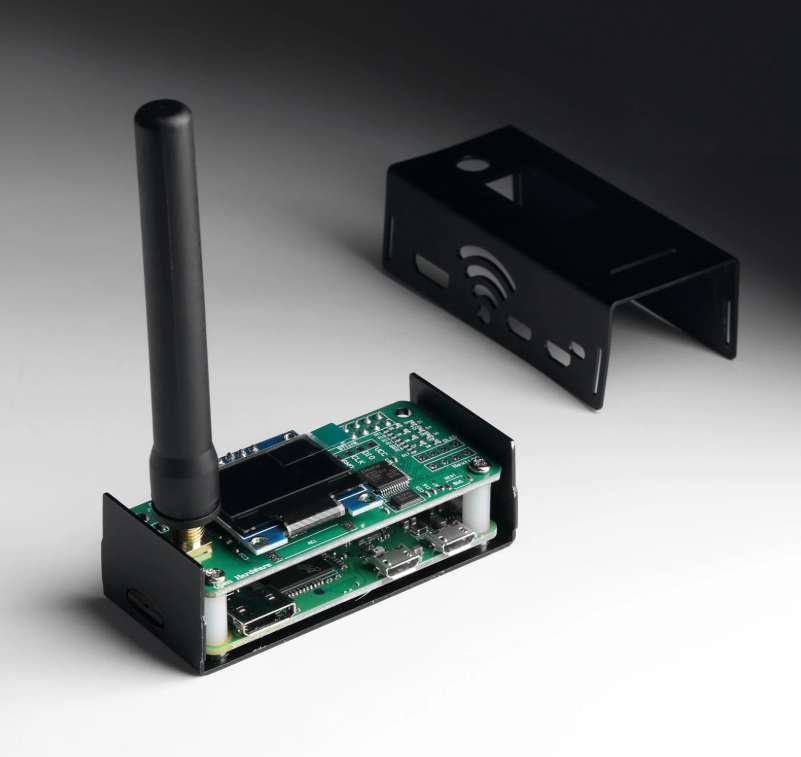
Raspberry Pi Setup: Complete MMDVM hotspot with Pi, HAT board, OLED display, antenna, and protective case
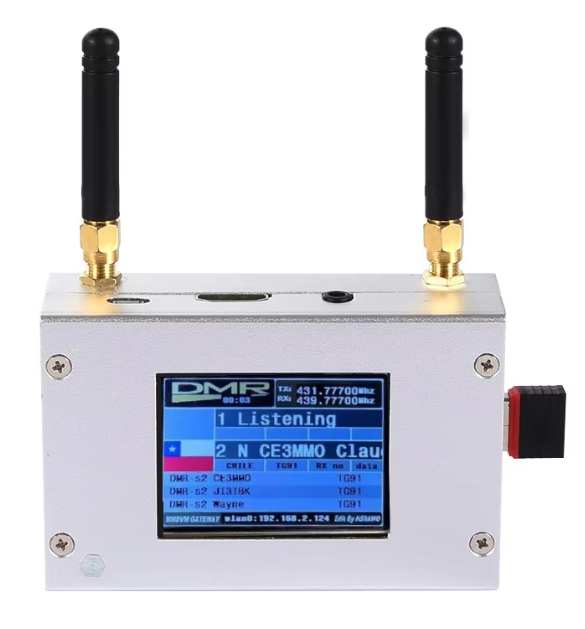
Ready-to-Use Devices: Jumbo SPOT and OpenSpot commercial hotspots with integrated antennas and USB power
Overview
Entry-level DMR handheld transceiver with dual-band VHF/UHF operation.
Key Specifications
- Frequency: VHF 136-174MHz, UHF 400-480MHz
- Power: 5W (High), 1W (Low)
- Channels: 3000 programmable
- Programming: PC software required
Configuration Steps
1Install Software & Drivers
Download CPS software, install USB drivers
2Program DMR Settings
- Radio ID: Your DMR ID
- Color Code: 1
- Time Slot: 2 (typical)
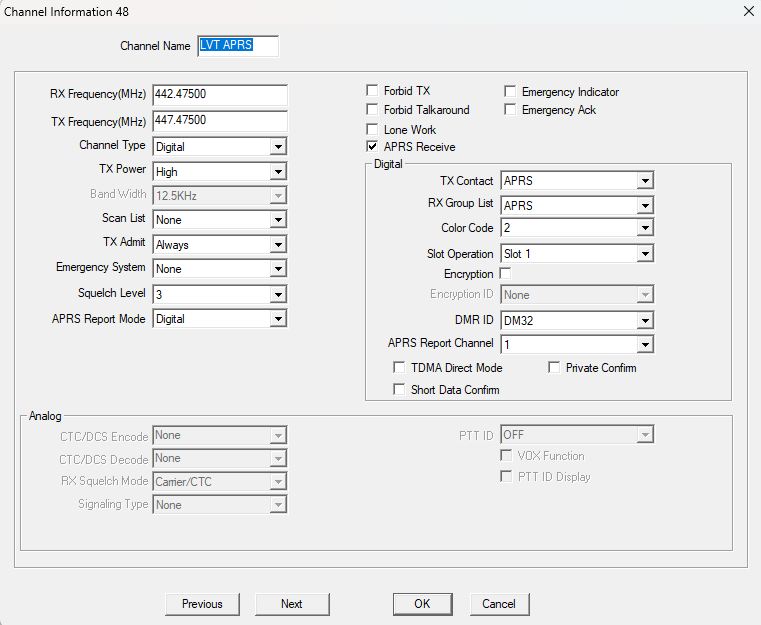
CPS Interface: Baofeng Customer Programming Software showing channel list, contacts, and digital configuration options
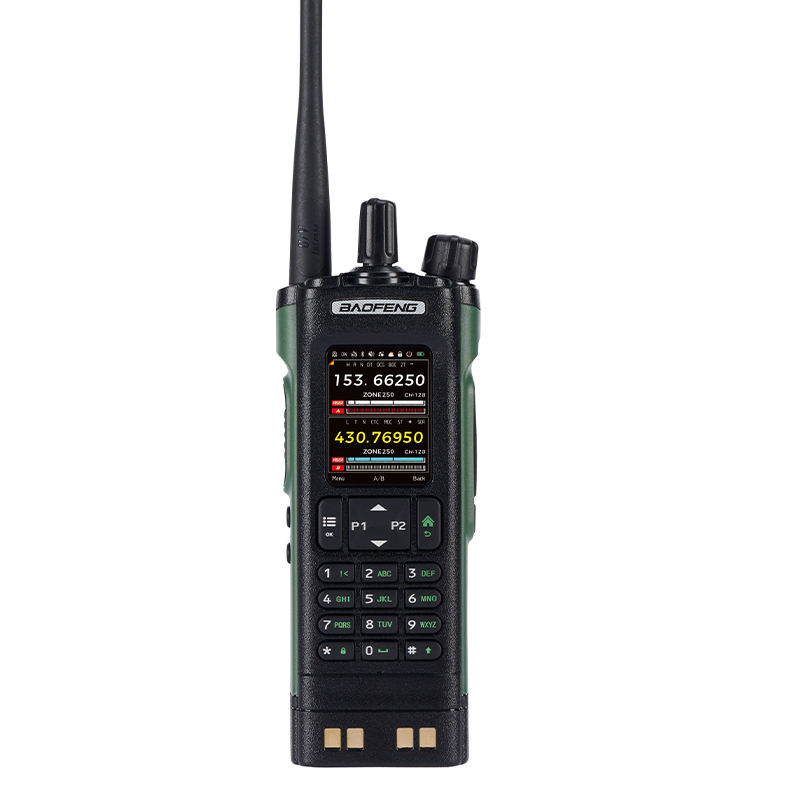
LCD Display: DM-32 color screen showing DMR mode, talk group number, signal strength, and channel name
What is Digital APRS?
Digital Automatic Packet Reporting System (APRS) integrated with DMR networks, enabling position reporting, messaging, and telemetry over digital radio infrastructure.
Key Features
- GPS coordinate transmission
- Real-time position tracking
- Text message exchange
- Weather data transmission
- Emergency position alerts
Network Integration
- Brandmeister DMR network
- APRS-IS gateway connection
- Cross-platform compatibility
- Emergency communication support
Primary Applications
- Emergency Communications: Disaster response coordination
- Event Support: Public event tracking and management
- Fleet Management: Vehicle and personnel tracking
- Weather Reporting: Automated station data collection
Hardware Requirements
- DMR Radio: APRS-capable (AT-D878UV)
- GPS Module: Internal/external receiver
- Programming Cable: USB configuration
- Antenna: Dual-band VHF/UHF
Configuration Steps
- 1Enable APRS in CPS software
- 2Configure GPS and beacon settings
- 3Set DMR ID and call sign
- 4Test network connectivity
Key APRS Parameters
- Call Sign: Amateur radio identifier • SSID: Station type (-9 mobile)
- Beacon Interval: 30s to 30min • Symbol: Map icon selection
Important: Ensure proper licensing and regulatory compliance for APRS operations.
Key Takeaways
DMR Fundamentals
- ETSI TS 102 361 standard
- TDMA: 2:1 spectrum efficiency
- 4FSK modulation at 9,600 bps
- AMBE+2™ vocoder
Network Infrastructure
- RadioID: 7-digit identifier
- Brandmeister network
- Talk Groups system
Implementation
- MMDVM platform
- Pi-Star/WPSD software
- Hotspot devices
Resources
- RadioID: https://radioid.net/
- Brandmeister: https://brandmeister.network/
- Pi-Star: https://www.pistar.uk/
- WPSD: https://w0chp.radio/wpsd/
Questions & Discussion
Thank You
For attending this technical seminar on Digital Mobile Radio Communication
73. See you on AIR !